

Install skill files
Skills enable your coding agent to leverage the decision intelligence capabilities of RelationalAI. By installing the RelationalAI agent skills, your agent can understand and interact with RAI models, execute queries, perform analyses, and more — all through natural language prompts.
Assumes relationalai (PyRel) v1.0.12+
The RelationalAI Native App for Snowflake must be installed in your account by an administrator.
- Request access here.
- See the RAI Native App docs for details.
The rai_developer role is needed to execute PyRel programs.
Installation
Section titled “Installation”Generic
Section titled “Generic”-
You or your agent can manually copy the contents of our skills folder into your skills folder.
-
Vercel’s skills CLI (requres
npmv5.2.0+) helps you manage & update skills for most coding agents.
npx skills add RelationalAI/rai-agent-skills --skill '*'# optionally specify an agentnpx skills add RelationalAI/rai-agent-skills --skill '*' --agent cortexClaude Code
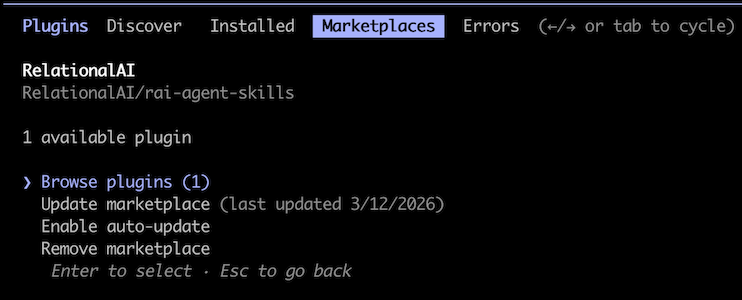
Section titled “Claude Code”Follow these instructions to point at this repo.
Also see this quick video for an overview.
Example:
/plugin marketplace add RelationalAI/rai-agent-skills/plugin install rai@RelationalAI# or use the wizard/pluginRestart your session after installing.
Claude Desktop
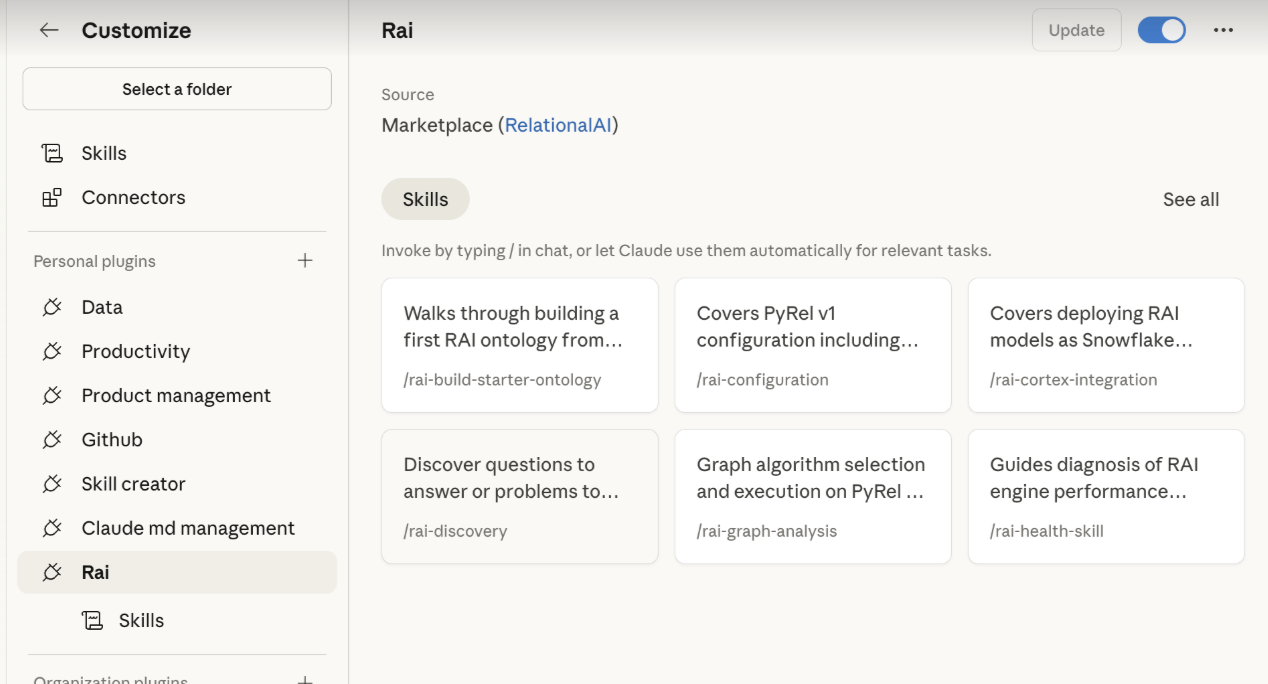
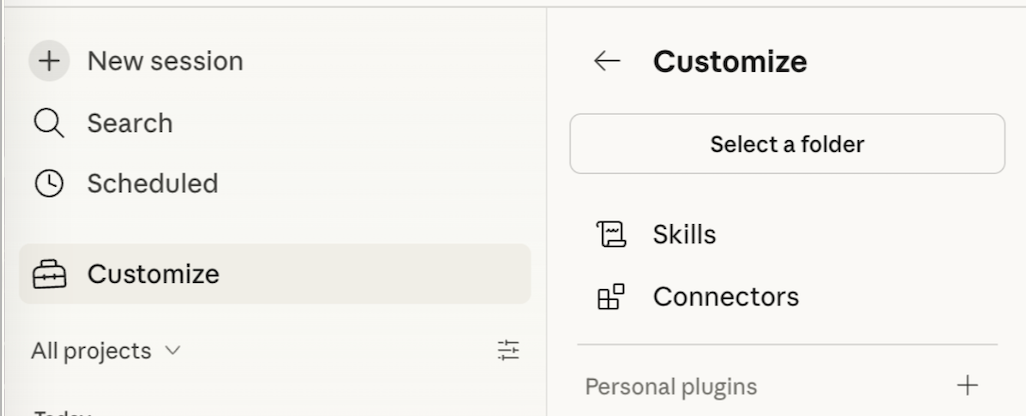
Section titled “Claude Desktop”- Open the Claude Desktop app and go to Customize in the left sidebar.
- Under Plugins, browse the directory and find Rai by RelationalAI.
- Click to install, then toggle the plugin on.
Skills will be available in your next session.
Cortex Code
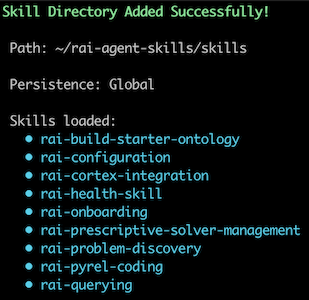
Section titled “Cortex Code”Follow these instructions.
In short, clone this repo to your file system then use the /skill dialog to add the skills folder.
VSCode
Section titled “VSCode”Follow these instructions to point at this repo.
Example:
"chat.plugins.marketplaces": [ "RelationalAI/rai-agent-skills"]Skill Index
Section titled “Skill Index”| Skill | Description |
|---|---|
| rai-build-starter-ontology | Walks through building a first RAI ontology from Snowflake tables or local data samples. Use when creating a new RAI model, starting a proof of concept, or onboarding a new dataset. |
| rai-configuration | Covers PyRel v1 configuration including raiconfig.yaml, connection setup, programmatic config, model and reasoner settings, and engine management. Use when setting up or troubleshooting RAI connections and configuration. |
| rai-cortex-integration | Covers deploying RAI models as Snowflake Cortex Agents for Snowflake Intelligence. Use when deploying a model as a Cortex Agent or configuring Snowflake Intelligence. |
| rai-discovery | Discover questions to answer or problems to solve. Surfaces what the data can support, classifies by reasoner type, and routes to the right workflow. Use before choosing a reasoner workflow or when scoping what to build next. |
| rai-graph-analysis | Graph algorithm selection and execution on PyRel v1 models. Covers graph construction from ontology patterns, algorithm families (centrality, community, reachability, distance, similarity, components), parameter tuning, result extraction, and downstream use. Use when building or running graph analyses on RAI models. |
| rai-health-skill | Guides diagnosis of RAI engine performance issues and recommends remediation. Use when an engine is slow, unresponsive, or needs scaling. |
| rai-onboarding | Guides first-time RelationalAI (RAI) setup end-to-end — install, connect to Snowflake, validate, and run a starter program. Use when starting a new RAI project or environment. |
| rai-ontology-design | Covers RAI domain modeling decisions including concepts, relationships, data mapping, model composition, enrichment, and advanced modeling patterns. Use when designing or reviewing ontology models. |
| rai-prescriptive-problem-formulation | Formulates optimization problems from ontology models covering decision variables, constraints, objectives, and common patterns. Use when building, reviewing, or debugging a formulation. |
| rai-prescriptive-results-interpretation | Interprets optimization solver output including solution extraction, status codes, quality assessment, result explanation, and sensitivity analysis. Use when analyzing solve results or communicating optimization outcomes. |
| rai-prescriptive-solver-management | Covers solver lifecycle including problem type classification, solver selection and creation, global constraints, pre-solve validation, solve execution, and solver-level diagnostics. Use when configuring or running optimization solvers, not for interpreting post-solve results. |
| rai-pyrel-coding | Covers PyRel v1 language syntax including imports, type system, concepts, properties, relationships, data loading, references, and code structure. Use when writing or reviewing PyRel code. |
| rai-querying | Covers query construction in PyRel v1 including aggregation, derived concepts, filtering, ordering, multi-concept joins, and data export. Use when building queries or extracting data from RAI models. |
| rai-rules-authoring | Converts natural language business rules into PyRel derived properties. Covers validation, classification, derivation, alerting, and reconciliation patterns with rule chaining. Use for business logic, flags, subtypes, segmentation, or compliance rules. |